
How to change background of an image?
https://www.computersprofessor.com/2019/05/how-to-change-background-of-image.html
How to change background of an image? 1. Open the image in Adobe Photoshop using open dialog box 2. Now right click on l...

How to change background of an image? 1. Open the image in Adobe Photoshop using open dialog box 2. Now right click on l...

How to crop an image? To remove unnecessary area in the image by keeping part of image you want is done by using crop tool. To crop an ...

Making selections Ø Selecting the part of an image is done by using marquee tool in the tool bar. Ø Select rectangular marqu...

Guides and grids: Ø Guide: Guides and the grid help you position images or elements precisely. Guides appear as nonprinting lines...
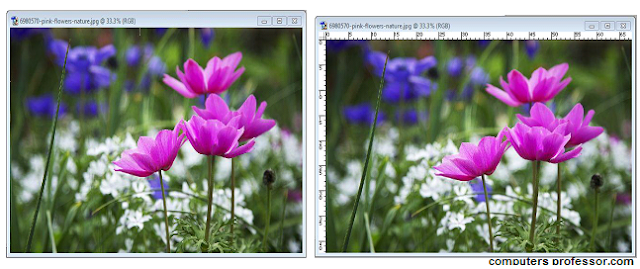
Rulers: Rulers help you position images or elements exactly. When visible, rulers appear along the top and left side of the active win...
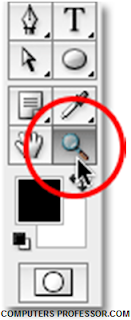
Explain zooming and panning image in Adobe Photoshop? Ø Zooming Image: ü To zoom an image, click zoom tool at the tool box. ...

Explain about colour modes in Adobe Photoshop? The color mode or image mode determines how colors combine based on the number of c...

Explain various options for editing an image? There are so many options available in the edit menu for editing an image. To edit an i...
